 System Requirements
Laptop or Desktop connects to secondary monitor viewed by the patient. Illustration below shows the
simple setup with wireless or cable connection to the monitor. For photos of actual examination rooms
Click here. For pdf of illustration
Click here.
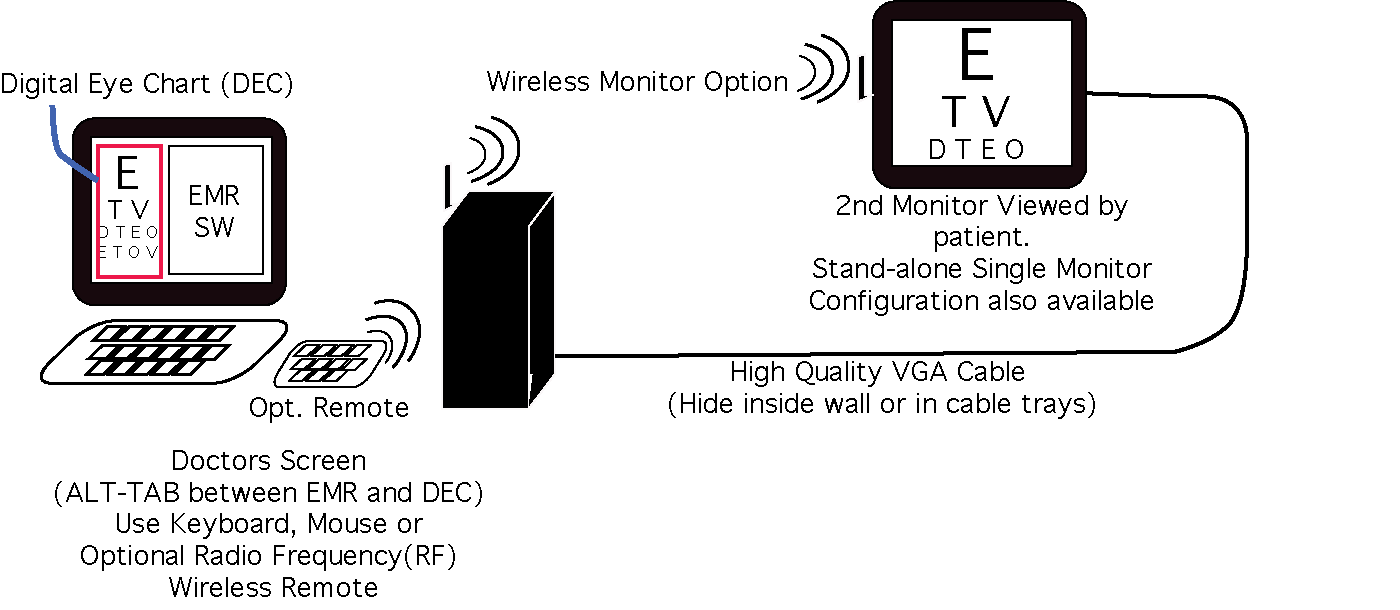
- Even easier now. Our new economical wireless video option eliminates the VGA cable and makes upgrading from your desktop PC even eaiser. Stay tuned for details or call if you want to here about it now. Below is the classic hardware setup. Several other configurations are now available with wireless VGA.
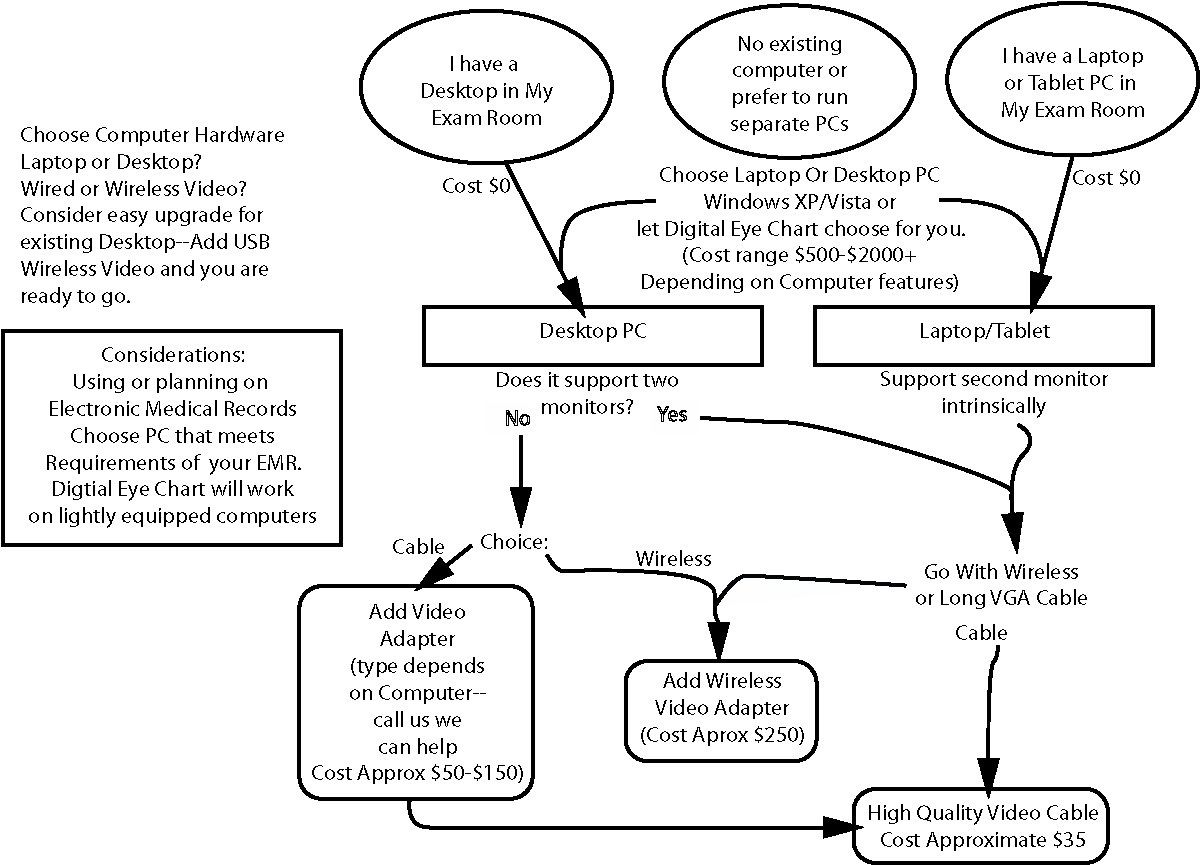
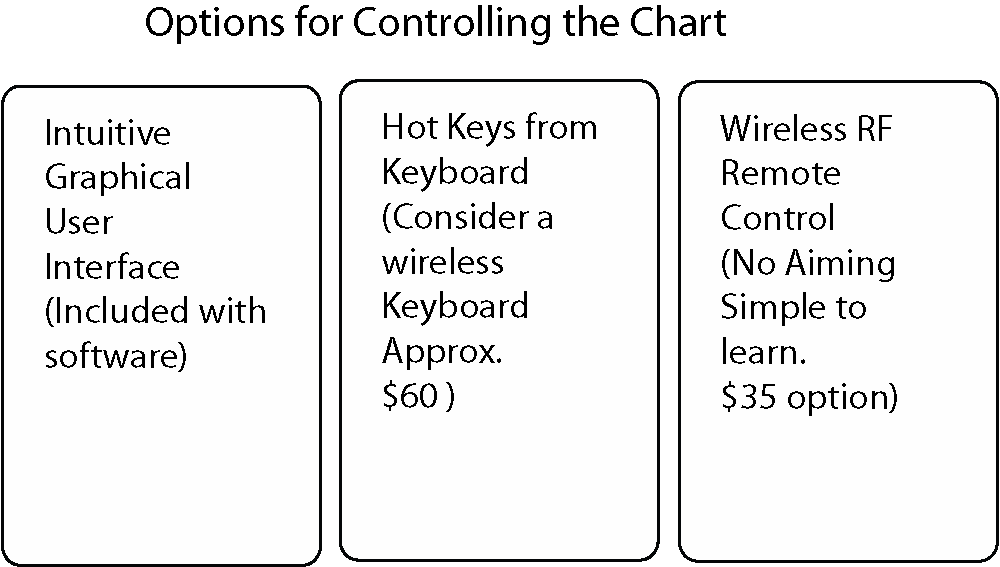
- The hardware to create the system is easy! Most laptops have an external video port that will support the chart monitor your patients view. So, simply, add a cable and lcd monitor to your laptop and you are ready to go. Some desktop computers also support two monitors. If yours does not a basic video card can be added to your system. Or run our software in single monitor mode using hotkeys or our inexpensive remote control (see details below).
- Computer with video adapter capable of extending the desktop to a secondary monitor. Many laptops and tablets have this feature built in. A desktop with dual monitor video card will work as well. To check if your computer or a computer you are considering is capable, click here for instructions for checking the display options. Note: single monitor computers are now supported (See FAQ for details).
- Microsoft's Internet Explorer 6 or 7 (Please let us know if you desire to run on other platforms with enough demand we are willing to provide products on other browsers and/or operating systems). Software has been installed and tested on Microsoft Windows XP and Vista.
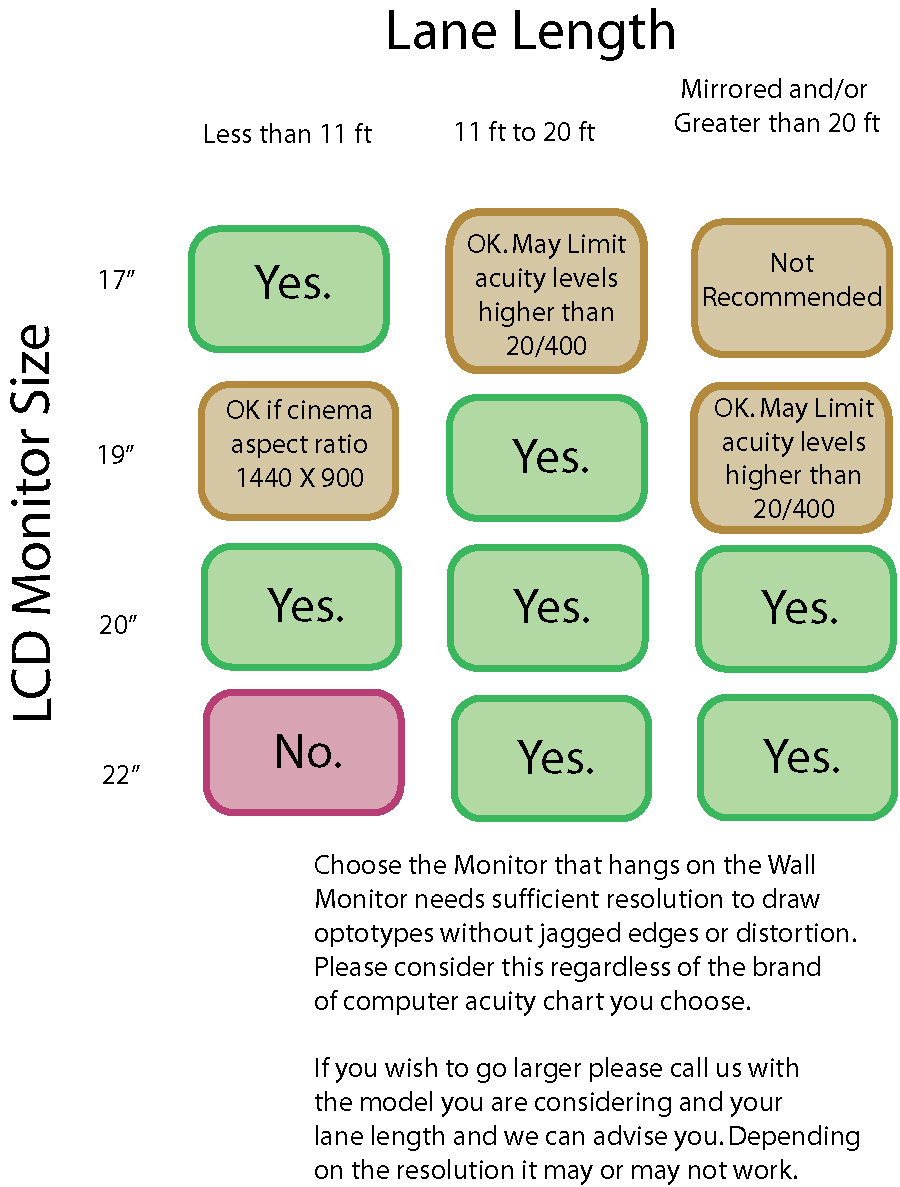
- A flat screen LCD monitor with minimum 96x96 dots per inch. (17 inch 1280 x 1024 minimum recommended). See our frequently asked questions and the above table for the answer to: Is a bigger monitor better?
- A high quality video cable to extend from computer to wall mounted.